

























































































Get 2 hours of free consultation!








Why we choose HB as First Customer?

Tracking and managing multiple
tools such as Gmail/Basecamp, Calendar, Jira/Bugzilla/Trello.
Eliminate multiple tools implementation and increase your productivity by using single Tool

Different workflow for each tool
One System, One Solution, One Workflow

Tracking Data & Management at one location
Centralized Tracking & Data Management

Syncing between all systems
No worry about syncing, it’s One Stop Solution

Training for all Software/Tools for
new Employees/Clients
Reduce Training Efforts & Cost

High Recurring cost due to multiple systems
No Recurring Costing, One Time Investment

Security concerns of sensitive information due to multiple tools
Hosted Solution on Self Environment

Tracking and managing multiple
tools such as Gmail/Basecamp, Calendar, Jira/Bugzilla/Trello.
Eliminate multiple tools implementation and increase your productivity by using single Tool
Different workflow for each tool
One System, One Solution, One Workflow
Tracking Data & Management at one location
Centralized Tracking & Data Management
Syncing between all systems
No worry about syncing, it’s One Stop Solution
Training for all Software/Tools for
new Employees/Clients
Reduce Training Efforts & Cost
High Recurring cost due to multiple systems
No Recurring Costing, One Time Investment
Security concerns of sensitive information due to multiple tools
Hosted Solution on Self Environment
Who can get the Benefits
Online collaboration tool can help businesses of all sizes to work faster and more efficiently, allowing your team to access documents & work on projects from anywhere.
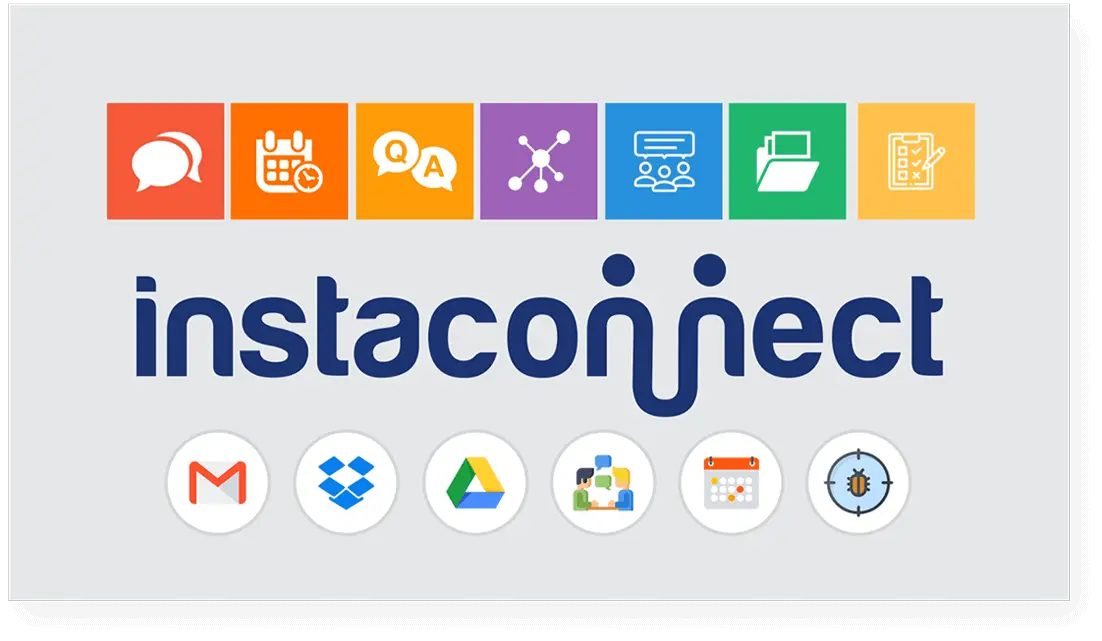
Key Features
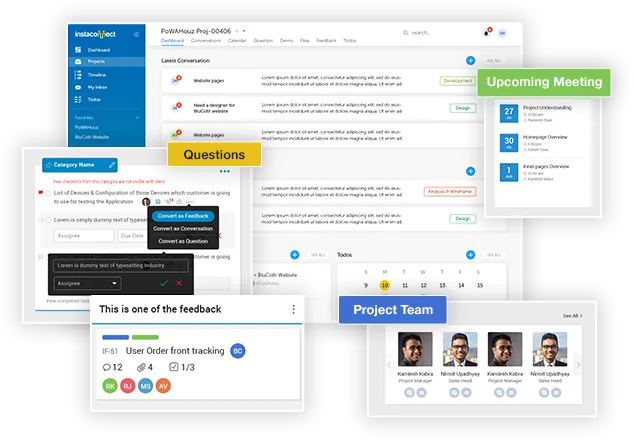
Simplifying your work and project collaboration
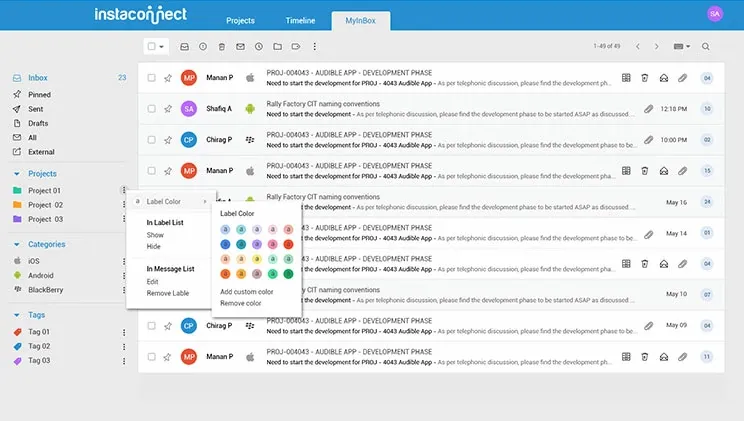
Conversation
Share & track all data and updates internally and to all Project members throughout the project execution life cycle. It comes with various features like categorizing your conversations at project level, tagging, bifurcating internal & external communication within the project team and many more facilities too.
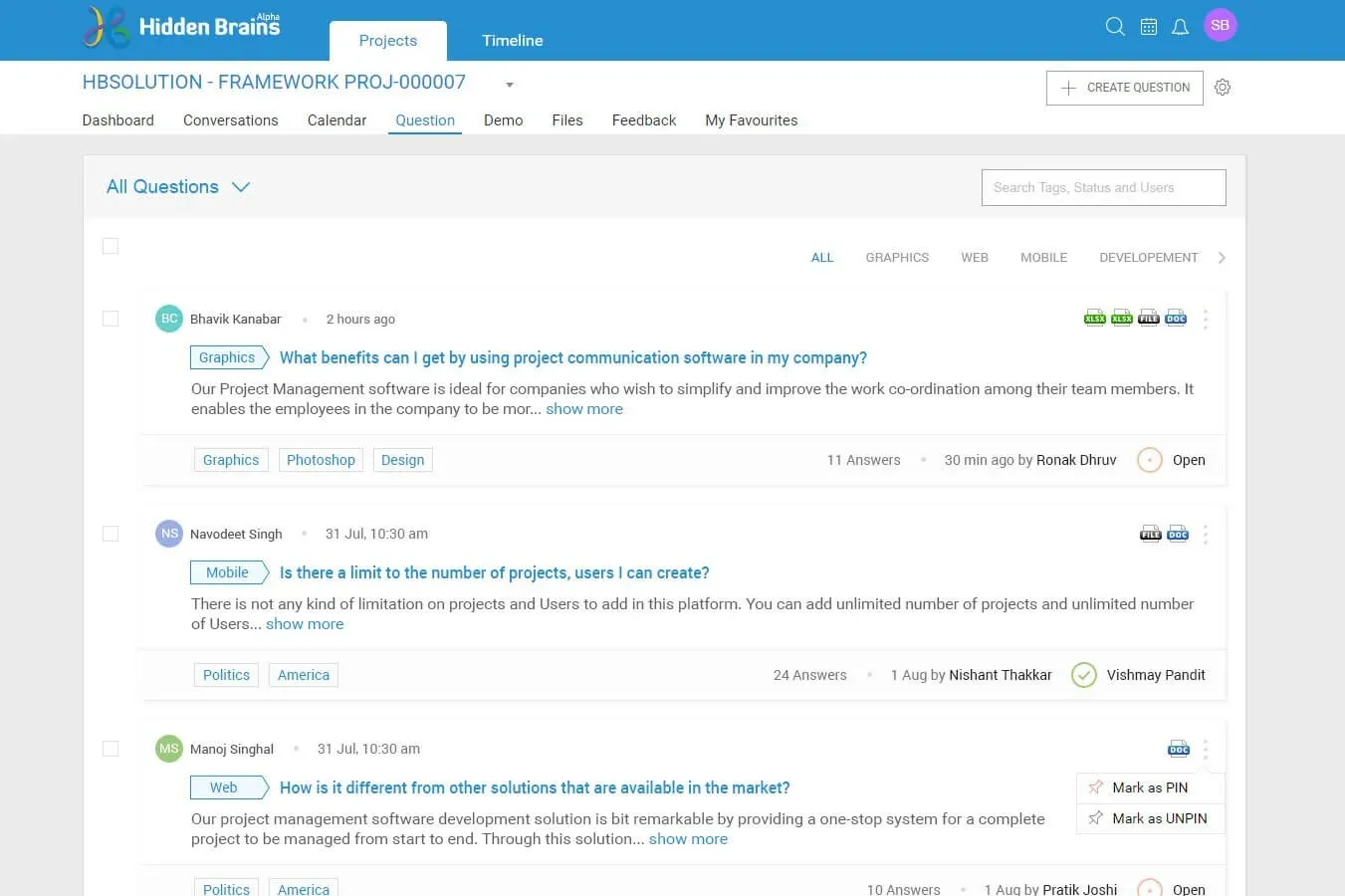
Queries?
With an online project collaboration tool, you can record all project queries, be it common, conceptual or project-related and separate queries from your routine daily conversations. It helps to maintain Tags & Status for queries, as well as noting whether they are answered or pending. Track the solution for all queries to refer throughout your project life cycle.
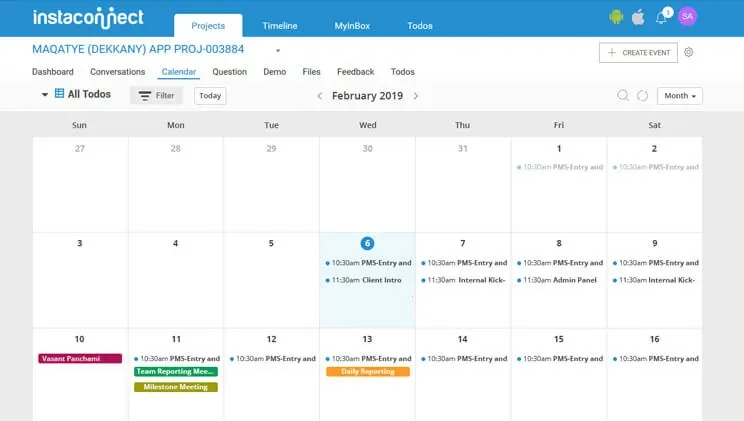
Calendar
Calendar feature allows to track all planned schedules of meetings, events, milestones, demo as well as receive timely reminders for the upcoming events. It provides an interactive interface to write the Agenda & MoM for all meetings to ensure all details are updated at the right location for effective utilization in the future in a seamless manner.
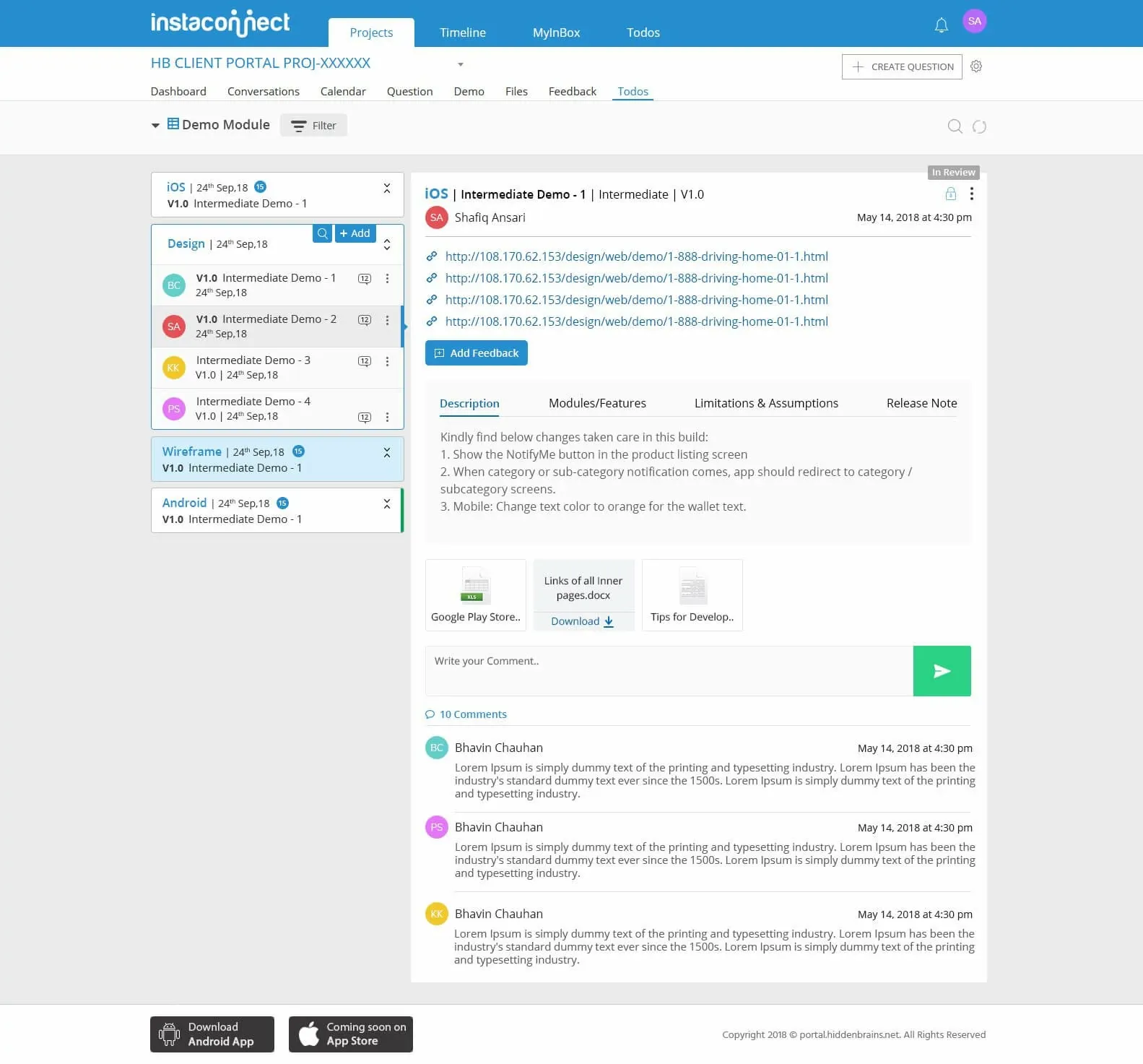
Demo
This feature allows highlighting valuable/meaningful work done at any given time of the project. A Project may have multiple Milestones / Schedules Demo, this section will showcase all upcoming demo or submitted demo for all Milestones / Scheduled Demo.
Feedback
Manage & Track project feedback / issues. It’s essential to review the work progress / demo release and identify feedback / issues and submit into the system. Create & manage feedback with ease utilizing no. of ways to post the feedback like Google Chrome Extension, iOS/Android Bug Recording Tool.
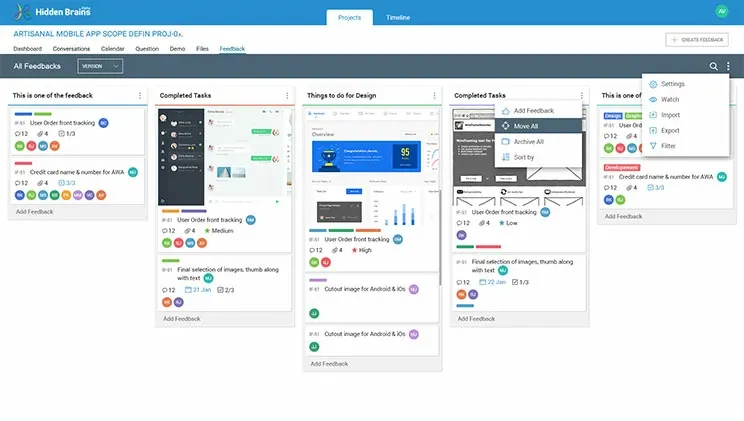
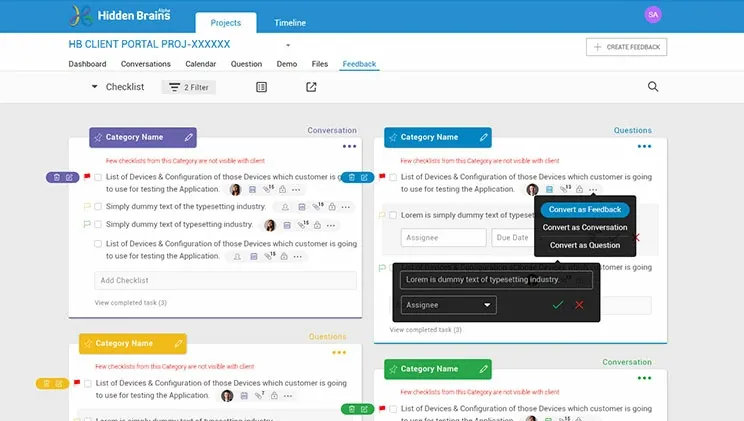
Todo
Effective and effortless way of managing your checklist, pre-requisites, daily todo list to perfection using Todo module. Simplified & categorized interface and manage todo category & todo items with assignee & deadline.
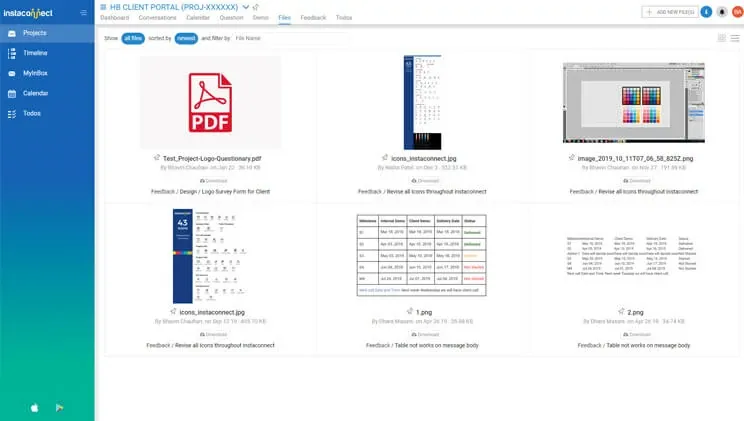
File Management
Organize all project files / documents all together with the option to download. Assign single or multiple files to project members. Connected & categorize all files by all other key modules for quick lookup of specific files.
You think that is not enough? Here are more advanced features!
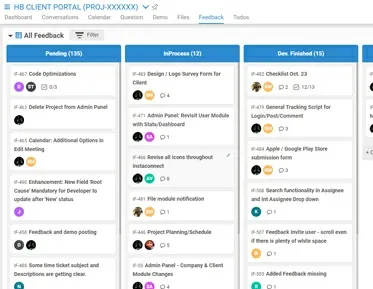
Kanban Board
Manage your own workflow status and assign feedback/issues based on status to specific members. Get an understanding of status workflow and get a notification while moving feedback from one status to another.
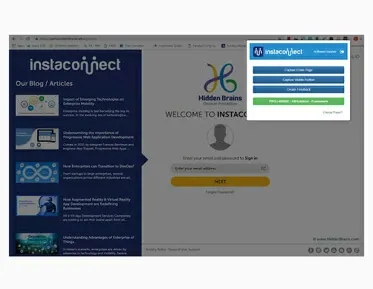
Google Chrome Extension
A special Extension to submit feedback with screenshots through Google Chrome. It's useful for browser-based URLS like Static Dynamic Websites, Wireframes, Designs. Feedback will land directly in the project.
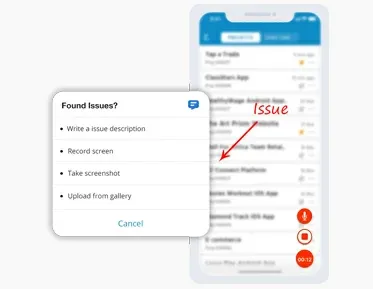
Feedback Recording SDK
If a reviewer wants to review iPhone & Android App and submit feedback/issues/suggestions directly from mobile device, this is the platform to provide feedback with specific App Demo without losing control.
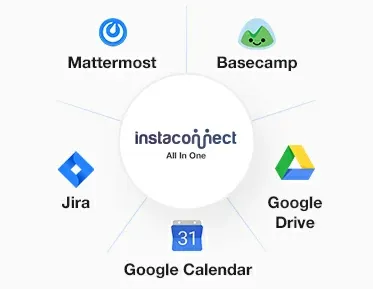
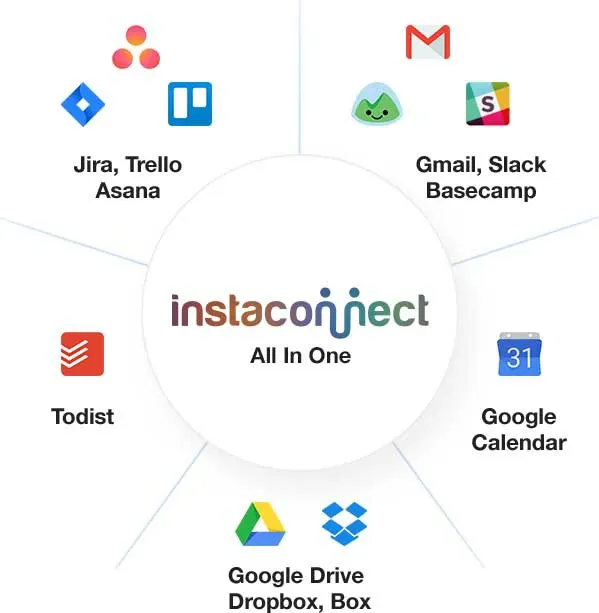
Integration
Communicate smartly with other apps through rich integrations: Jira, Trello, Basecamp, Slack, MatterMost, Google Calendar, Google Drive, Dropbox, OneDrive. Experience enhanced functionality with integrations.
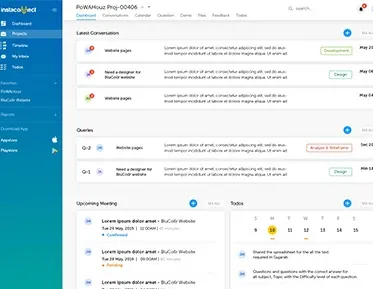
Dashboard & Reports
Get instant visibility and insights youneedto make informed decisions in real-time to get the progress of your project. Our tool provides acomplete & comprehensive dashboard of highly sophisticated reports.
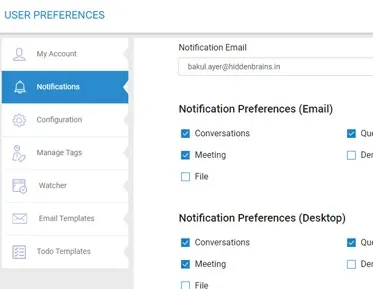
Rich Notifications - Email / PUSH
Keep yourself updated with rich Email & Push notifications for each update/events happening by project team members. This will help you get real-time and instant update to monitor the progress of your project.
Templates
Turn frequently-used conversations & Todos into a standard template for quick reference. Use the template for projects you need to repeat again & again to save time. No need to start from scratch each time!
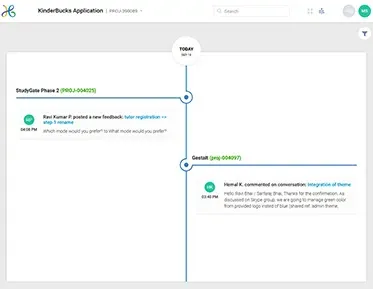
Timeline
It shows Progress of project through timeline. It's updated in real-time and contains info about new conversations, response to existing conversations, answering questions, meetings, sharing demos & feedback.
Why Choose Instaconnect for your Business?
Instaconnect, our project collaboration brings all your project communication to one place.
Platforms
Facilitate collaboration and communication among teams and stakeholders across different platforms
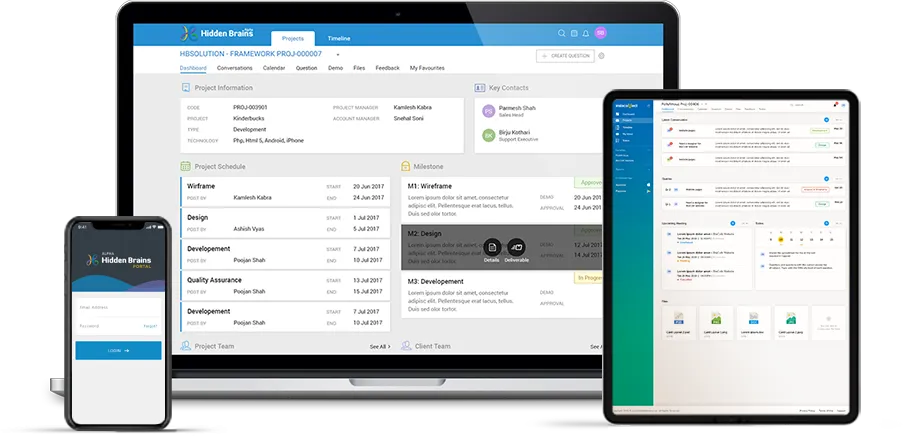

Web Application

iPhone & Android Application

Web Admin Panel

Google Chrome Extension Feedback Tracking Tool

iPhone SDK Feedback Tracking Tool

Android SDK Feedback Tracking Tool
What is IN for me?
Benefits of best project collaboration tool
Frequently Asked Questions (FAQ’s)
Curiosity has it’s own reason for existing, by questioning anything we arrive at the greater solutions.
Our Project Management software is ideal for companies who wish to simplify and improve the work co-ordination among their team members. It enables the employees in the company to be more organized, productive, and effective through the intuitive automated tracking and workflow.
There is not any kind of limitation on projects and Users to add in this platform. You can add unlimited number of projects and unlimited number of Users.
Our project management software development solution is bit remarkable by providing a one-stop system for a complete project to be managed from start to end. Through this solution, you can manage all project related conversations with internal and external teams separately, Calendar & Meeting Management, Tasks, Todo, Demo & Feedback - All at one place!
Yes, project execution consists of multiple tasks for a user, and prioritization of tasks is compulsory for the smooth execution of a project. By keeping this in mind we developed a project management system where users can select the task by defining its priority - low, medium, or high. Apart from this we also provided color codes for the tasks to differentiate.
Client Testimonials


Mr. Talal BenlahsenBelgium
Working with Hidden Brains was an amazing adventure, and thanks to them, I could see my projects coming to reality. I can simply say that they were reliable and could understand the business. It's a company I would rely on for my future projects.

Dr. David BohnUnited States
I am using Hidden brains for several different apps and software. It's been a long-term and great relationship; everything gets done ahead of time with great quality. I really appreciate the team Hidden Brains and do recommend you to everyone.

Mr. Michael AmaldhasLos Angeles, USA
It’s been an awesome experience working with Hidden Brains for many years on B2B and B2C application development. It’s great to work with such a talented, dedicated, and hardworking team; we value our Partnership with Hidden Brains. I wish them all the best!!

Mr. Harjeet GarewalKingdom of Morocco
Thank you, Hidden Brains, for the support and for playing an instrumental role in developing the product. It's been a phenomenal journey. Looking forward to taking this Partnership forward and many more years of working together.

Mr. Mick VenningUnited Kingdom
If you are looking for a company to develop your next IT product, I would like to introduce you to Hidden Brains. HB stood out in terms of quantity and quality. They are very professional in terms of process and documentation. The kind of support I received from them, I cannot imagine moving forward without Hidden Brains.

Mr. Saint WalkerUnited States
You can talk to Hidden Brains in layman terms and they will convert your idea into reality. They are creative and enjoy their work. Hidden Brains is a very strong company, and I am confident that I can recommend it to people looking for quality work.
Insights & News



Let’s get in touch
Get a Sneak Peak into Demo
Want to know how project management software work? We shall be happy to schedule a free demo based on your convenience.
Got an Idea?
Get FREE Consultation
- 1 Drop your requirement and
our expert will analyze further - 2 Outlining it, we will build a roadmap
and connect with you - 3 Further, finalize the approach
and begin implementation